Azure Traffic Manager
Azure Traffic Manager is a DNS-based traffic load balancer. This service allows you to distribute traffic to your public facing applications across the global Azure regions.
Traffic Manager uses DNS to direct client requests to the appropriate service endpoint based on a traffic-routing method. Traffic manager also provides health monitoring for every endpoint. The endpoint can be any Internet-facing service hosted inside or outside of Azure.
Routing methods
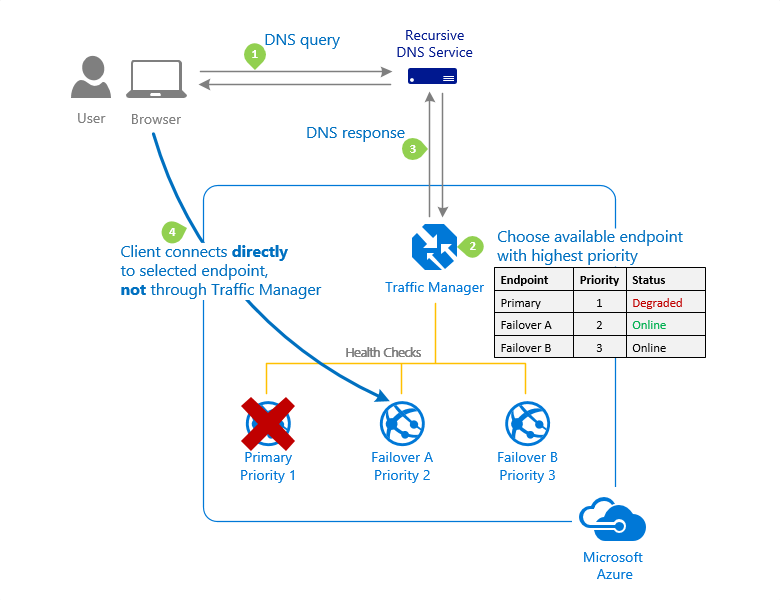
Priority traffic-routing method
Select Priority routing when you want to have a primary service endpoint for all traffic. You can provide multiple backup endpoints in case the primary or one of the backup endpoints is unavailable
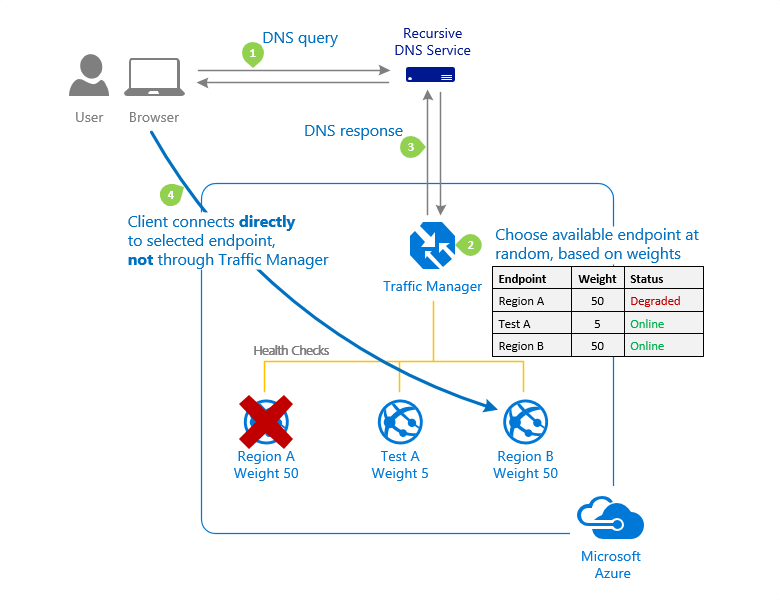
Weighted traffic-routing method
Select Weighted routing when you want to distribute traffic across a set of endpoints based on their weight. Set the weight the same to distribute evenly across all endpoints.
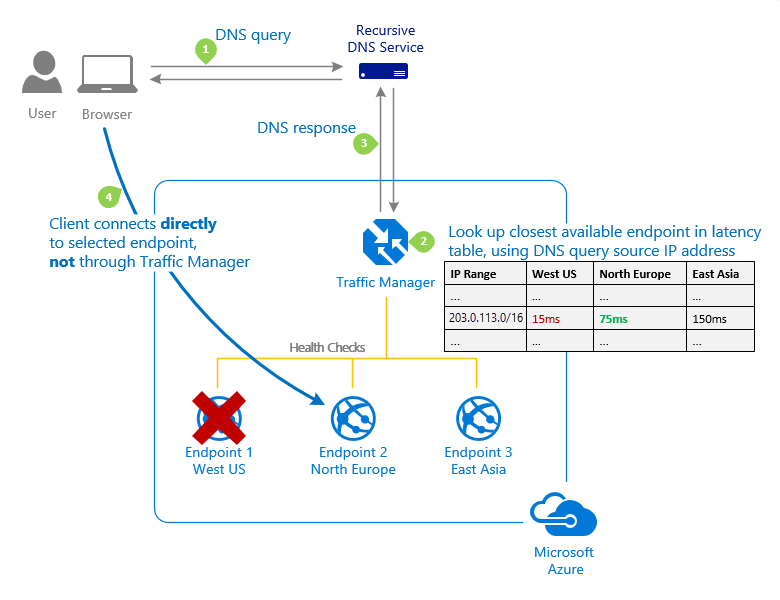
Performance traffic-routing method
Select Performance routing when you have endpoints in different geographic locations and you want end users to use the "closest" endpoint for the lowest network latency.
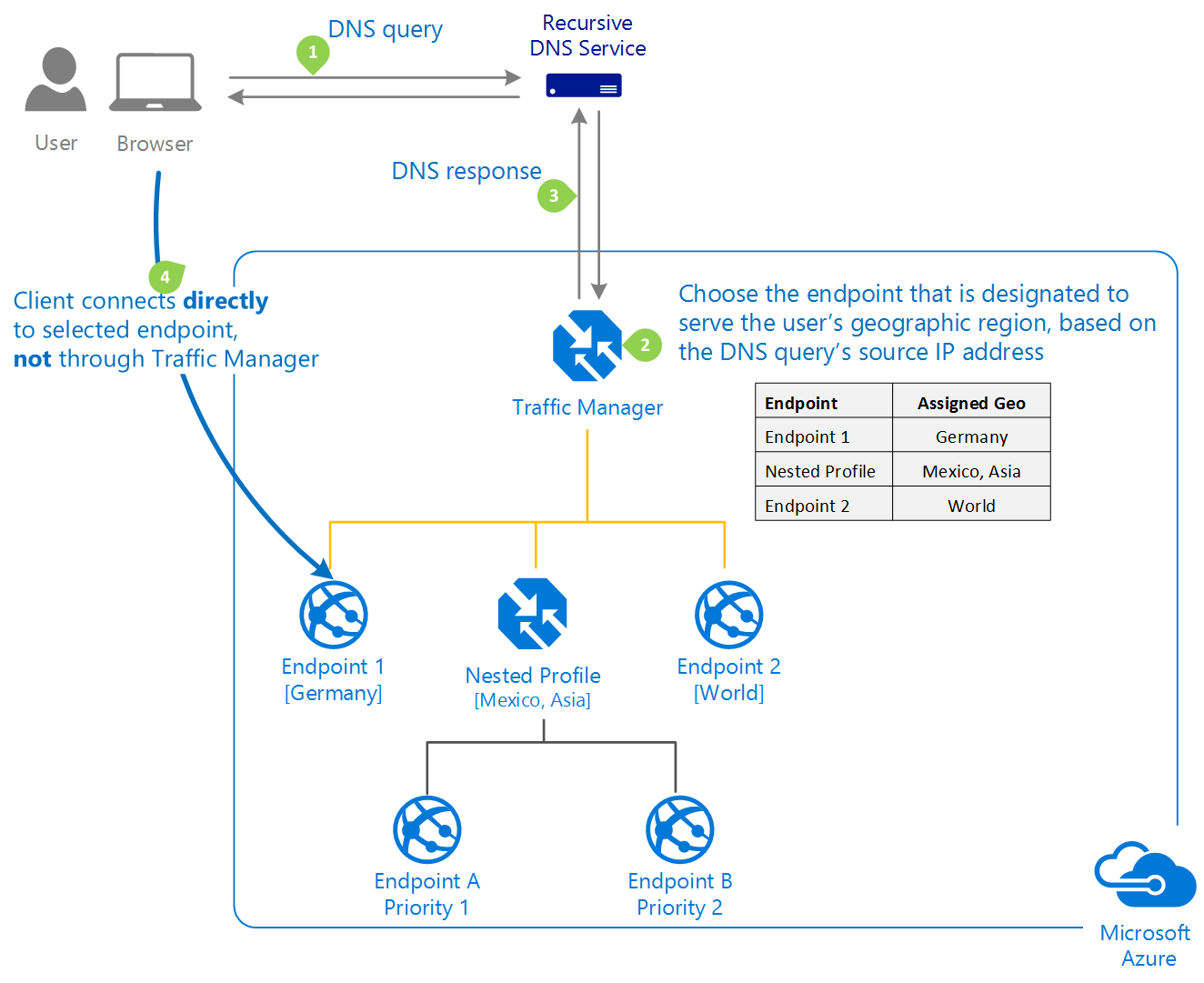
Geographic traffic-routing method
Select Geographic routing to direct users to specific endpoints (Azure, External, or Nested) based on where their DNS queries originate from geographically. With this routing method, it enables you to be in compliance with scenarios such as data sovereignty mandates, localization of content & user experience and measuring traffic from different regions.
Multivalue traffic-routing method
Select MultiValue for Traffic Manager profiles that can only have IPv4/IPv6 addresses as endpoints. When a query is received for this profile, all healthy endpoints are returned.
Subnet traffic-routing method
Select Subnet traffic-routing method to map sets of end-user IP address ranges to a specific endpoint. When a request is received, the endpoint returned will be the one mapped for that request’s source IP address.
Nested Traffic Manager profiles
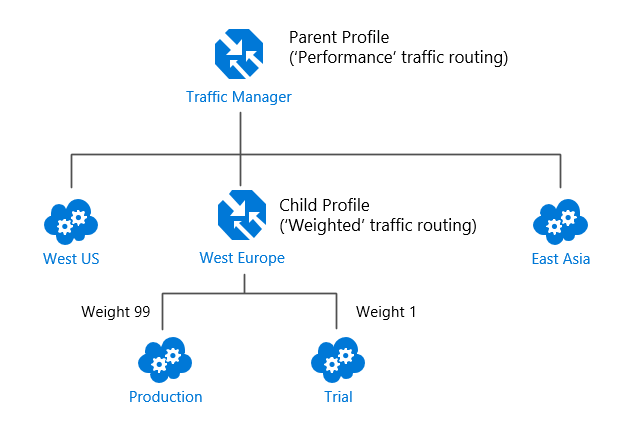
Each Traffic Manager profile specifies a single traffic-routing method. However, there are scenarios that require more sophisticated traffic routing than the routing provided by a single Traffic Manager profile. You can nest Traffic Manager profiles to combine the benefits of more than one traffic-routing method. Nested profiles allow you to override the default Traffic Manager behavior to support larger and more complex application deployments.
References
- https://learn.microsoft.com/en-us/azure/traffic-manager/traffic-manager-overview
- https://learn.microsoft.com/en-us/azure/traffic-manager/traffic-manager-routing-methods