Azure Import / Export Service
1. General
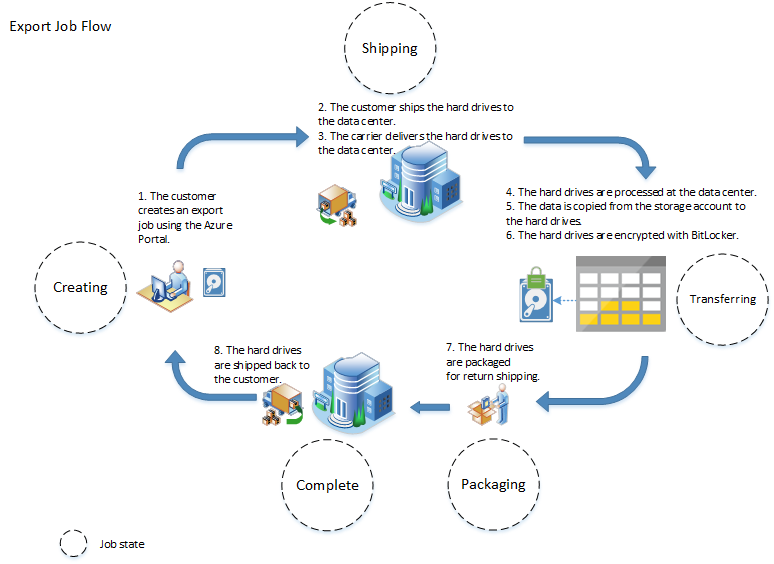
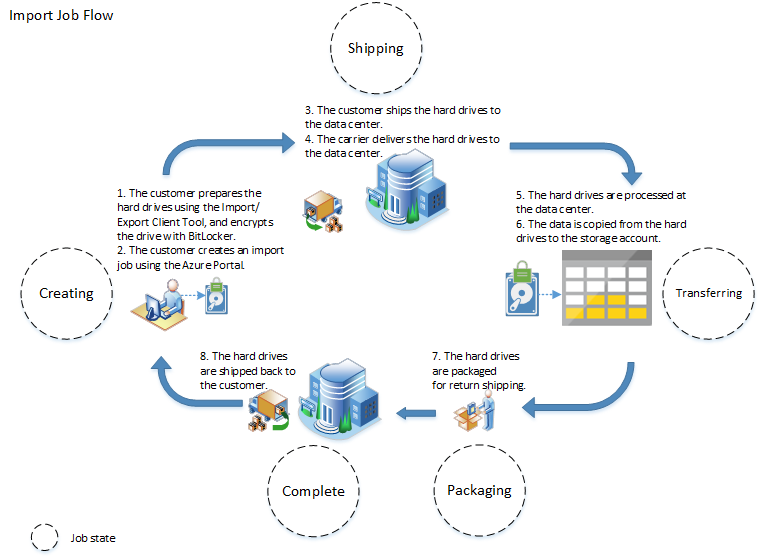
- Azure Import/Export service is used to securely import large amounts of data to Azure Blob storage and Azure Files by shipping disk drives to an Azure datacenter. This service can also be used to transfer data from Azure Blob storage to disk drives and ship to your on-premises sites. Data from one or more disk drives can be imported either to Azure Blob storage or Azure Files.
- Azure Data Box Disk is a similar service that uses disk drives supplied by Microsoft.
Ref: https://learn.microsoft.com/en-us/azure/import-export/storage-import-export-service
2. Supported storage types
| Job | Storage Service | Supported | Not supported |
|---|---|---|---|
| Import | Azure Blob Storage Azure Files storage |
Block blobs and Page blobs supported Files supported |
|
| Export | Azure Blob Storage | Block blobs, Page blobs, and Append blobs supported | Azure Files not supported Export from archive tier not supported |
| Ref: https://learn.microsoft.com/en-us/azure/import-export/storage-import-export-requirements?source=recommendations |
3. Customer-managed keys in Azure Key Vault for Import/Export service
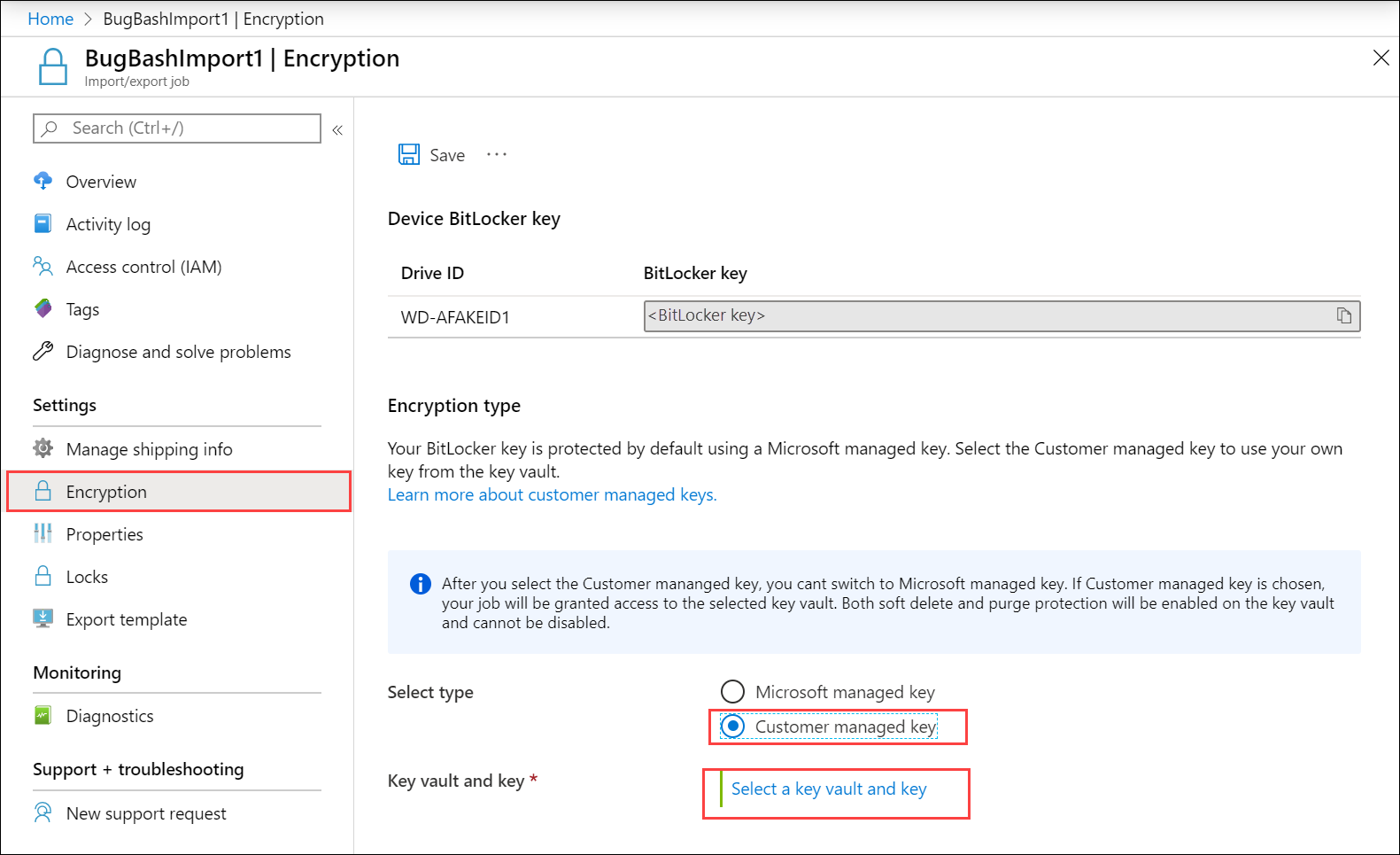
Azure Import/Export protects the BitLocker keys used to lock the drives via an encryption key. By default, BitLocker keys are encrypted with Microsoft-managed keys. For additional control over encryption keys, you can also provide customer-managed keys.
Customer-managed keys must be created and stored in an Azure Key Vault.
Ref: https://learn.microsoft.com/en-us/azure/import-export/storage-import-export-encryption-key-portal
4. WAImportExport tool
- To transfer data in disk to Azure File storage, first, you need to prepare the drive using the WAImportExport tool. Once you download and extract the WAImportExport tool in your local drive, you can view the executable and a couple of CSV files:
dataset.csvanddriveset.csv
4.1. dataset.csv file
contains a list of directories and/or a list of files to be copied to target drives.
| BasePath | DstBlobPathOrPrefix | BlobType | Disposition | MetadataFile | PropertiesFile |
|---|---|---|---|---|---|
| F:\50M_original\100M_1.csv.txt | containername/100M_1.csv.txt | BlockBlob | rename | None | None |
| F:\50M_original | containername/ | BlockBlob | rename | None | None |
4.2. driveset.csv
- It contains the list of disks to which the drive letters are mapped so that the tool can correctly pick the list of disks to be prepared.
- If the data size is greater than a single disk size, the WAImportExport tool will distribute the data across multiple disks enlisted in this CSV file in an optimized way.
| DriveLetter | FormatOption | SilentOrPromptOnFormat | Encryption | ExistingBitLockerKey |
|---|---|---|---|---|
| G | AlreadyFormatted | SilentMode | AlreadyEncrypted | 060456-014509-132033-080300-252615-584177-672089-411631 |
| H | Format | SilentMode | Encrypt |
5. Import Flow
6. Export flow